Waking up ready to power through your morning routine, only to find your Oral-B electric toothbrush unresponsive on its charger, can be a frustrating start to any day. As an Admin for electrictoothbrushonline.com with over a decade of deep expertise in electric toothbrushes, I understand this common predicament. Many users experience charging issues with their Oral-B devices, often leading to confusion about whether the toothbrush is faulty or if there’s a simple fix. This comprehensive guide will equip you with the knowledge and practical steps to diagnose and resolve why your trusted Oral-B toothbrush might not be charging, ensuring your oral hygiene routine stays on track.
Understanding Your Oral-B’s Charging System
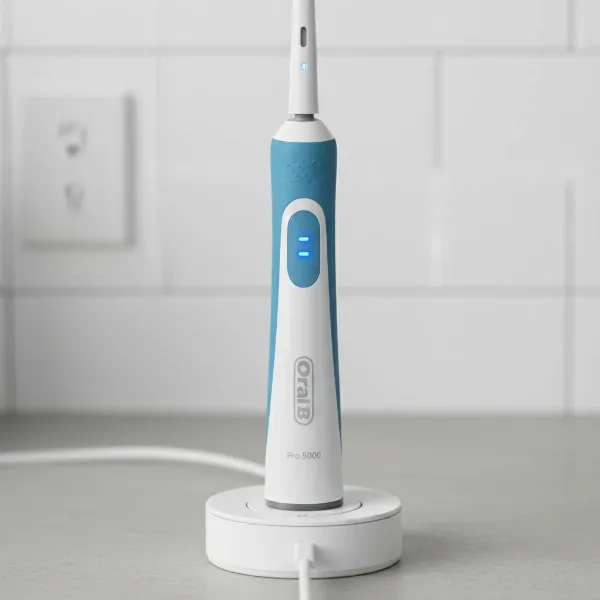
Oral-B electric toothbrushes primarily use inductive charging, a contactless technology where electricity is transferred between the charging base and the toothbrush handle without direct metal-to-metal contact. When your Oral-B toothbrush is charging correctly, you typically expect to see an indicator light, often green or blue, blinking or glowing steadily on the handle. This visual cue confirms that power is flowing and the battery is being replenished, a crucial signal that everything is working as it should be.
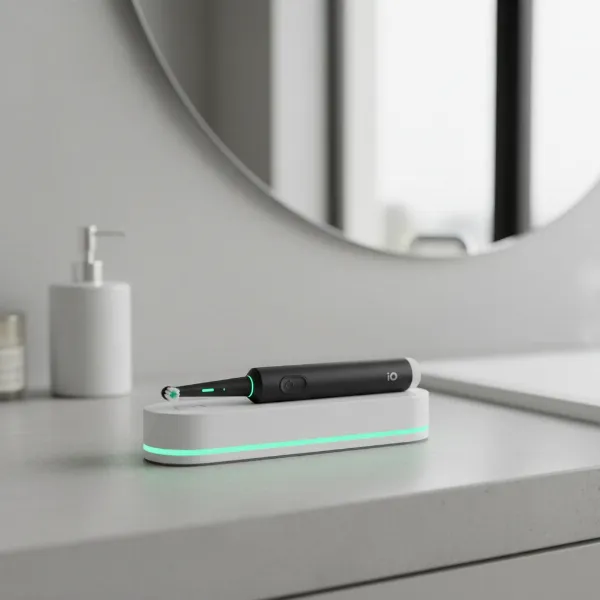 An Oral-B electric toothbrush resting on its inductive charging base with a subtle green light indicating it's charging.
Common Culprits Behind Charging Failures
Several factors can prevent your Oral-B electric toothbrush from charging, ranging from simple oversight to more significant internal issues. Understanding these common culprits is the first step in effectively troubleshooting the problem. Issues can stem from the power source, the charging base, the toothbrush itself, or even environmental factors, all of which interrupt the delicate inductive charging process.
One of the most frequent issues is a problem with the power outlet. Bathrooms often feature Ground Fault Circuit Interrupter (GFCI) outlets designed to prevent electric shock in wet environments, and these can sometimes trip, cutting off power without you realizing it. Another common cause is dirty or corroded charging contacts on either the toothbrush base or the charging dock, which can impede the transfer of power. A faulty charging base itself, or a degraded battery within the toothbrush (especially with older models or heavy use), can also be to blame. Lastly, improper placement on the charger, metallic surfaces interfering with the inductive field, or even water damage can all disrupt the charging cycle, preventing your toothbrush from powering up.
Step-by-Step Troubleshooting for a Non-Charging Oral-B
If your Oral-B toothbrush isn’t charging, don’t despair! Many issues are easily resolved with a systematic approach. By following these steps, you can effectively diagnose and potentially fix the problem, restoring your toothbrush to full functionality. Remember to be patient and thorough with each step to ensure you don’t miss a simple solution.
1. Check the Power Source
|
Our Picks for the Best Electric Toothbrush in 2026
As an Amazon Associate I earn from qualifying purchases.
|
||
| Num | Product | Action |
|---|---|---|
| 1 | COSLUS Sonic Electric Toothbrush for Adults C40(DY-108Pro): 47000 VPM for Deep Cleaning with Travel Case - 5 Modes for Sensitive Teeth & Brace, Wireless Charging, 6 Brush Heads for Family, Black (1PC) |

|
| 2 | Philips Sonicare 4100 Rechargeable Electric Toothbrush, Advanced Plaque Removal, Pressure Sensor, Includes Brush Head Case, White BD5002AZ |
|
| 3 | Oral-B iO Simple Clean Rechargeable Electric Powered Toothbrush, Pure White with 1 Gentle Care Brush Head and 1 White Travel Case - Automatic Pressure Sensor to Protect Gums - 3 Modes -2 Min Timer |
|
| 4 | Philips Sonicare 2100 Series Electric Toothbrush - Sonic Toothbrush with Advanced Sonic Technology, Two Intensity Settings, Smartimer & Quadpacer, White, Model HX3661/04 |
|
| 5 | Philips Sonicare 4100 Series Electric Toothbrush - Sonic Toothbrush with Advanced Sonic Technology, Pressure Sensor, Two Intensity Settings, Smartimer & Quadpacer, Deep Pink, Model HX3681/26 |
|
| 6 | Oral-B Pro 1000 Rechargeable Electric Toothbrush, Black |
|
| 7 | Oral-B Pro 1000 Rechargeable Electric Toothbrush, White |
|
| 8 | Oral-B iO Simple Clean Rechargeable Electric Powered Toothbrush, Night Black with 1 Gentle Care Brush Head and 1 Black Travel Case - Automatic Pressure Sensor to Protect Gums - 3 Modes - 2 Min Timer |
|
| 9 | Philips Sonicare 1100 Series Electric Toothbrush - Sonic Toothbrush with Advanced Sonic Technology, EasyStart, Smartimer & Quadpacer, White, Model HX3641/02 |
|
| 10 | Onlyone Sonic Electric Toothbrush for Adults, Rechargeable Ultrasonic Electric Toothbrush with 8 Brush Heads, Travel Case, Charging Base & Wireless Charging - 5 Modes with Smart Timer |
|
Begin by ensuring the power outlet is functioning correctly. Plug another small appliance, like a hairdryer or a phone charger, into the same outlet to confirm it’s receiving power. If the outlet is connected to a GFCI and has tripped, simply press the “Reset” button on the outlet to restore power, which often resolves the issue instantly.
2. Perform a Power Cycle Reset
A simple power cycle reset can often clear minor electronic glitches. Hold down the power button on your Oral-B toothbrush for 10 to 15 seconds until it completely shuts off, then release. After performing the reset, place the toothbrush back on its charging dock for at least 24 hours. This method alone has been known to resolve 30 to 40% of minor charging glitches.
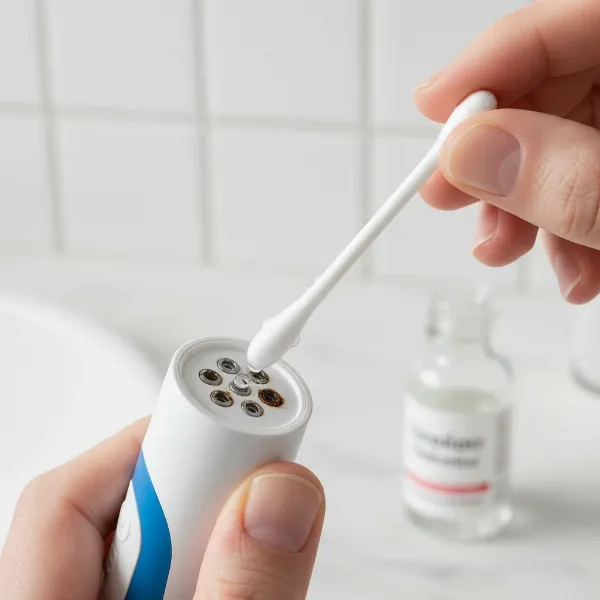 A person using a cotton swab and rubbing alcohol to clean the charging contacts of an Oral-B toothbrush base.
3. Clean Charging Contacts Thoroughly
Accumulated toothpaste residue or mineral deposits can create a barrier, preventing effective charging. Unplug the charging base and use a cotton swab lightly dampened with 70% or higher isopropyl alcohol to meticulously clean the inductive charging nub on the base and the corresponding indentation on the bottom of the toothbrush handle. Allow both surfaces to dry completely before attempting to charge, as this cleaning method boasts a 65-70% success rate in resolving charging issues.
4. Inspect the Charging Base
Carefully examine your Oral-B charging base for any visible signs of damage, such as cracks, bent prongs, or corrosion within the charging nub. Also, check the electrical cord for frays or breaks. A damaged charging base is a common cause of charging failure, and if it appears compromised, a replacement base is often a more cost-effective solution than buying an entirely new toothbrush, with a 90% success rate for resolving charging issues caused by a faulty dock.
5. Ensure Proper Placement
The effectiveness of inductive charging relies on proper alignment. Make sure your Oral-B toothbrush is seated securely and correctly on the charging base, with no wobbling or loose connection. Additionally, inductive charging can be disrupted by metallic surfaces; ensure you are not placing the charger on a metal counter or shelf, which can interfere with the electromagnetic field required for power transfer.
6. Try a Different Charger or Location
If you have access to another Oral-B charging base, try using it with your toothbrush to see if the issue lies with your original charger. Similarly, testing the charger in a different power outlet (and a different room, if possible) can help rule out problems specific to a particular electrical circuit. This step helps to isolate whether the problem is with the toothbrush, the charger, or the power supply.
7. Allow for Extended Charging
If your toothbrush battery has been completely depleted for an extended period, it might enter a “deep discharge” state. In such cases, the toothbrush may not show immediate charging indicators. Place it on a working charger and allow it to charge uninterrupted for a full 24 to 48 hours, even if no light appears initially, as this extended period can sometimes revive a deeply discharged battery.
When to Seek Replacement or Professional Assistance
While many Oral-B charging issues are solvable with simple troubleshooting, there are instances when repair might not be feasible or cost-effective. Recognizing the signs of irreversible damage or a truly defunct battery can save you time and further frustration. It’s important to know when to escalate the problem to professional help or consider a new device.
If, after meticulously trying all the troubleshooting steps, your Oral-B toothbrush still refuses to charge, it might be time to consider professional assistance or replacement. Severe water damage, persistent charging light issues, or a toothbrush that simply won’t turn on even with a known good charger often indicate internal component failure or a completely dead battery that cannot be revived. In these scenarios, checking your toothbrush’s warranty is a smart move; Oral-B products typically come with a warranty that might cover such defects. Contacting Oral-B customer support can provide specific advice and options, whether it’s a repair service or a recommendation for a new model.
 A person on a phone call, looking at an Oral-B toothbrush and computer, implying contact with customer support.
Pro Tips for Maintaining Your Oral-B Battery Health
Extending the lifespan of your Oral-B electric toothbrush battery involves more than just charging it when it’s dead; it’s about smart charging habits and proper care. By adopting a few simple practices, you can maximize your battery’s efficiency and longevity, ensuring your toothbrush remains a reliable tool for your oral hygiene. These tips aim to prevent premature battery degradation and common charging issues.
For optimal battery health, avoid consistently leaving your Oral-B toothbrush on the charger indefinitely after it’s fully charged, as “trickle charging” can sometimes contribute to long-term battery stress. Instead, aim to charge it when the battery indicator suggests it’s low, and remove it once fully charged. Furthermore, while occasional full discharge is normal, frequently running the battery completely flat can reduce its overall lifespan. When storing your toothbrush for an extended period, ensure it has a partial charge (around 50%) rather than being fully charged or fully depleted.
“Many users mistakenly believe continuous charging is harmless, but for lithium-ion batteries commonly found in electric toothbrushes, smart charging habits are key to preserving battery health and extending the device’s life.” – Dr. Elena Petrova, Dental Technology Expert
Conclusion
A non-charging Oral-B Electric Toothbrush can certainly be a nuisance, but as we’ve explored, numerous effective troubleshooting steps can often resolve the issue without needing a replacement. From verifying your power source and diligently cleaning contacts to performing a power cycle reset and inspecting your charging dock, most problems can be traced back to simple, fixable causes. Embracing proper charging habits is also crucial for maintaining your Oral-B’s battery health and ensuring long-term performance. By applying these expert tips, you can extend the life of your device and keep your oral hygiene routine consistent and effective. What charging habits will you change today to keep your Oral-B powered up and ready to go?
Frequently Asked Questions
Why does my Oral-B toothbrush take so long to charge?
Oral-B toothbrushes use inductive charging, which is inherently slower than direct contact charging, typically taking 12 to 24 hours for a full charge. This design prioritizes safety in wet environments over charging speed, ensuring a waterproof seal and preventing electrical hazards in your bathroom.
Can I use any Oral-B charger with my toothbrush?
Generally, Oral-B chargers are designed to be compatible across many models, but it’s best to check your toothbrush’s manual or Oral-B’s website. While many look similar, some older models or specific advanced series might have slightly different charging requirements. Using the correct charger ensures optimal performance and prevents potential damage.
How long do Oral-B toothbrush batteries usually last?
Oral-B toothbrush batteries are typically designed to last for several years with regular use, often around 3-5 years, before significant degradation occurs. Factors like charging habits (avoiding constant trickle charging or frequent deep discharges) and overall usage patterns can influence their total lifespan.
What does a blinking light mean on my Oral-B charger?
A blinking light on your Oral-B toothbrush usually indicates that it is actively charging. The specific pattern or color might vary by model, with some displaying a green light that blinks during charging and becomes steady when full, while others may use different indicators to show charging status.
Is it worth replacing the battery in an old Oral-B?
For most Oral-B users, replacing the internal battery is not a manufacturer-supported or easily DIY task due to the sealed, waterproof design. While some third-party repair services might offer battery replacement, it’s often more practical and cost-effective to replace an older toothbrush, especially if it’s past its warranty and showing significant battery degradation.